Remove Flash Glare Real Estate Photo Editing: Wood, Glass & Cabinets (2026)
Knowing how to remove flash glare real estate photo editing hotspots from glossy hardwood floors, high-gloss lacquered kitchen cabinets, stainless steel appliances, and glass shower doors is essential for producing natural, editorial-grade property photography without harsh strobe blowouts. At PSVN, our 80+ studio editors eliminate strobe glare and specular hotspots manually inside our $0.60 – $0.85 USD (A$0.90 – A$1.30 AUD · £0.50 – £0.70 GBP) real estate photo editing service—delivered overnight in 12 hours.
By Khanh Tran & PSVN Post-Production QC Team · Updated October 29, 2026
Why Specular Flash Glare Happens in Flambient & Window-Pull Shots
As explained in our foundational Flambient blending workflow guide, photographers fire strobes to overpower orange 2700K interior bulbs and expose dark window frames for a Darken mode window pull. Because angle of incidence equals angle of reflection, four surfaces inside modern homes act as specular mirrors:
- Polyurethane Hardwood & Polished Porcelain Tile Floors: Ceiling-bounced flash creates a bright white “bowling alley” stripe across the floor nearest the light stand, while direct window-pull flash leaves a harsh white hotspot on the floor in front of the sliding glass door.
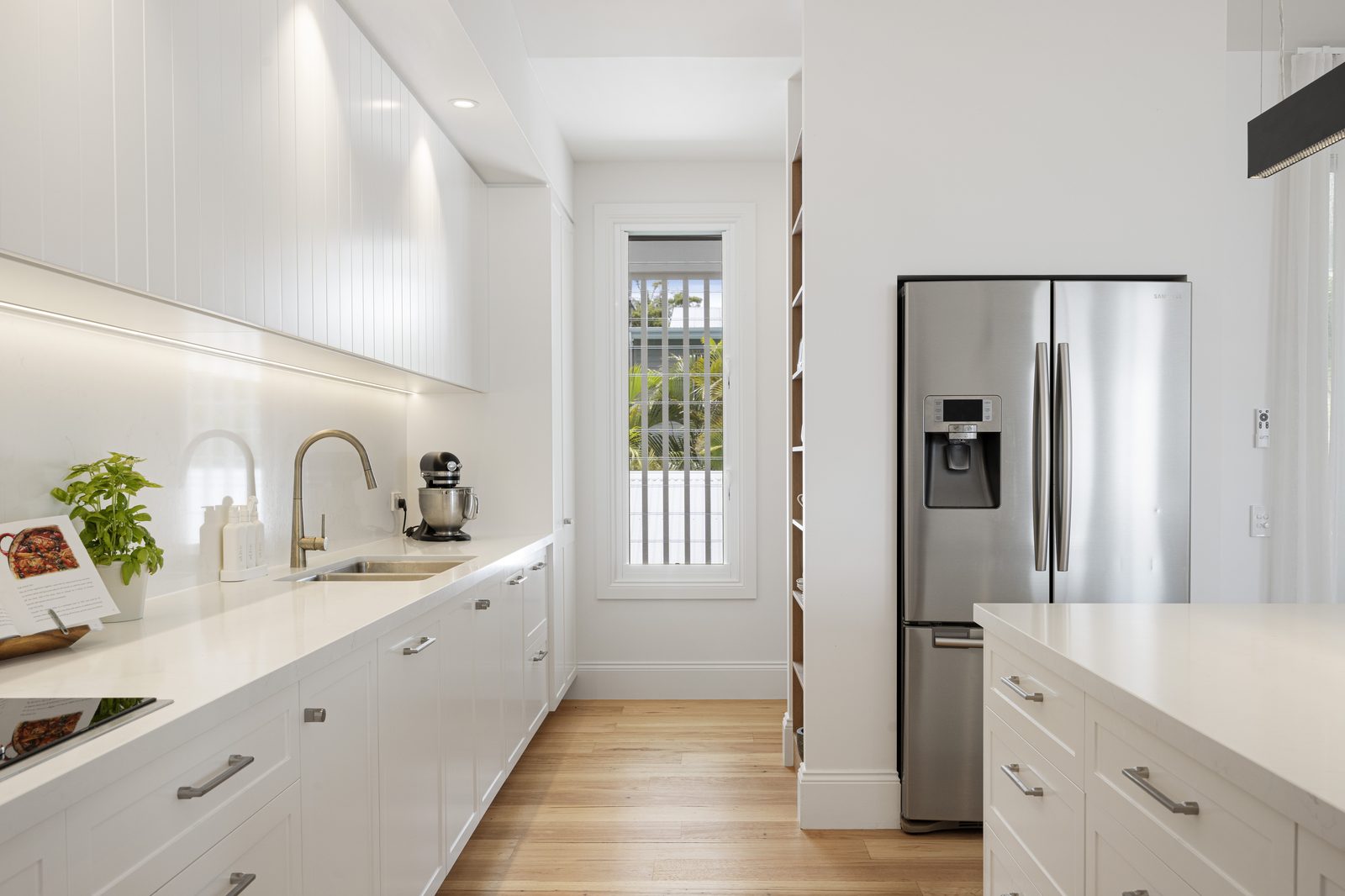
- High-Gloss Acrylic & Painted Shaker Cabinets: Kitchen upper cabinets catch the direct flash head or umbrella reflection, obscuring cabinet hardware and panel bevels.
- Stainless Steel Refrigerators & Range Hoods: Brushed metal amplifies strobe specular highlights into blown-out
255, 255, 255white bands paired with dark edge falloff. - Frameless Glass Shower Enclosures & Wine Cellars: Shooting into a bathroom or glass-walled office captures both the flash burst and the bright bathroom window reflected across the glass pane.
| Reflective Surface | Amateur HDR / Auto-Blend Defect | PSVN Manual Glare-Removal SOP ($0.60–$0.85 Inclusive) | Visual Result |
|---|---|---|---|
| Hardwood & Tile Floors | Washed-out white flash streak or orange ambient cast | Ambient Luminosity floor mask (65%–85%) + Flash Color mode layer | Rich wood grain with true neutral color and natural window sheen |
| Glossy Kitchen Cabinets | Blown-out strobe dot on upper cabinet doors | Shadow-bracket recovery + Frequency Separation low-frequency tone match | Smooth satin cabinet finish with crisp hardware |
| Stainless Steel Appliances | Harsh vertical flash stripe or reflection of photographer | Directional linear gradient + brushed-metal texture clone along grain | Clean showroom brushed-steel finish |
| Glass Shower & Partition Walls | Distracting flash starburst on glass panel | Darken mode cross-frame blend + selective highlight decompression | Crystal-clear view of interior shower tile |
Step-by-Step SOP to Remove Flash Glare Real Estate Photo Editing Hotspots
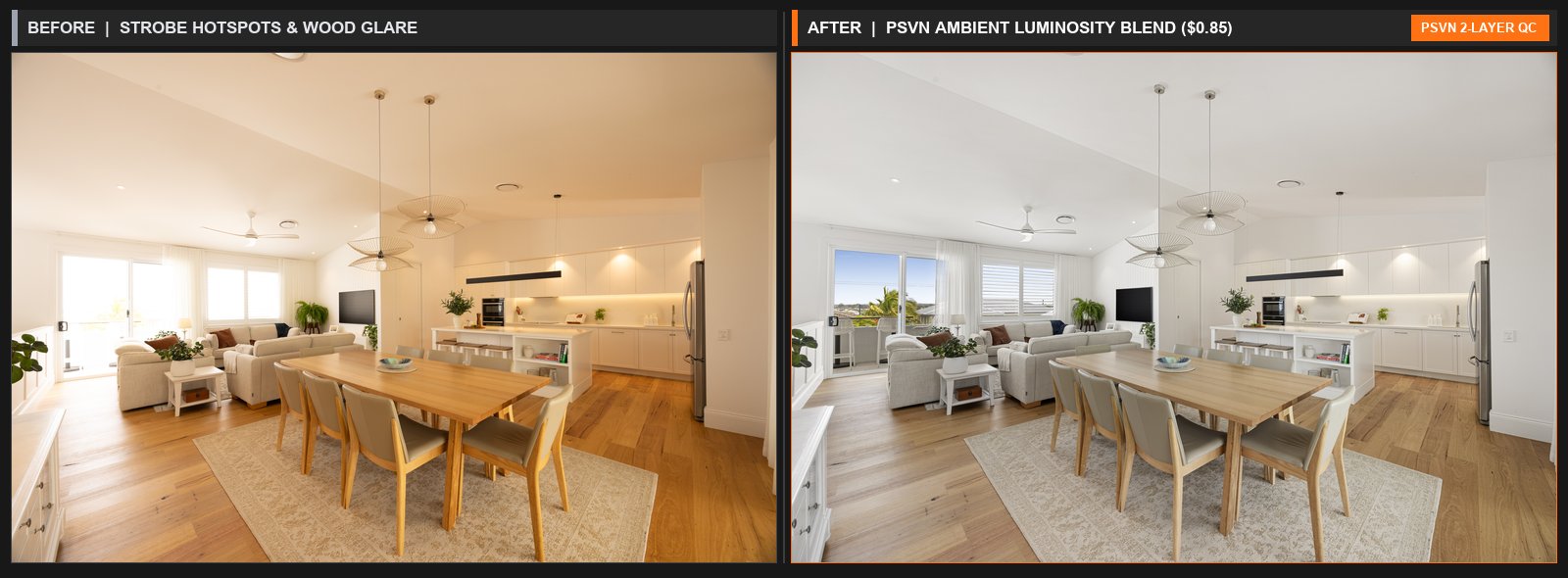
Rather than smudging blown-out hotspots with the Clone Stamp—which ruins wood plank seams and cabinet lines—our Layer-1 editors use a non-destructive multi-bracket channel workflow:
1. The Ambient Luminosity + Flash Color Floor Split
The most powerful technique to remove flash glare real estate photo editing hotspots on hardwood floors is separating luminance (brightness/shadows) from chrominance (color):
* Our editors place the Flash Frame at the base of the Photoshop stack (which holds accurate, cast-free wood color) and place the Ambient Frame (0 EV or -2 EV) above it set to Luminosity blend mode.
* Using a soft 0% hardness brush at 60%–85% flow, we mask the ambient luminosity over the floor and kitchen island. The flash hotspot vanishes instantly, replaced by the natural directional daylight sheen of the ambient exposure—while the underlying flash frame keeps the wood 100% free of orange tungsten color casts (see our color cast removal & white balance guide).
2. Fixing Window-Pull Flash Hotspots (Darken Mode Containment)
When shooting a high-power direct flash frame specifically for a window pull in real estate photo editing, the direct strobe blasts the hardwood floor and sofa right in front of the window. Our editors constrain the Darken mode window-pull layer strictly inside a 0.5px Pen-Tool vector path around the window glass and immediate mullion frame, ensuring zero direct-flash glare spills onto the interior furniture or floor.
3. Frequency Separation for Glossy Kitchen Cabinets & Countertops
When a strobe hotspot hits a lacquered cabinet door where even the ambient frame has a bright window reflection, our editors run Frequency Separation:
* High-Frequency Layer: Preserves the microscopic wood grain, paint texture, and cabinet seam lines.
* Low-Frequency Layer: Allows the editor to sample adjacent neutral cabinet tone and smoothly paint out the bright specular hotspot underneath the texture layer without blurring a single cabinet edge.
3 On-Site Strobe Adjustments to Minimize Glare Before You Upload
- Feather the Flash Toward the Back Corner Behind the Camera: Instead of pointing the flash straight up at the ceiling in the middle of the room (which bounces down onto the floor at a
45°specular angle), bounce the strobe into the upper rear corner behind the tripod. - Shoot 1 Dedicated Ambient Exposure (
0 EV) With All Strobe Triggers Off: A clean ambient frame gives our editors 100% authentic floor and cabinet highlights to blend over any flash hotspot. - Use a 2-Pop Composite in L-Shaped Kitchens: Walking left and right with two lower-power pops (
1/4power instead of1/1full power) reduces specular peak intensity on stainless steel appliances.
Frequently Asked Questions
Does PSVN charge extra to remove flash glare and strobe shadows?
No. Removing flash glare, ceiling bounce hotspots, light-stand shadows, and window-pull spill is 100% included inside our standard $0.75 USD HDR and $0.85 USD Flambient (A$1.15–A$1.30 AUD · £0.65–£0.70 GBP) per-photo rates.
What if I accidentally stood in the frame while doing a 2-pop composite flash walk?
As long as you provide the matching ambient bracket (or the opposing left/right flash pop where you stood on the other side of the room), our editors mask out the photographer and light stand at zero extra charge as part of standard Flambient blending.
Can you fix blown-out flash glare if I only shot a single flash frame with no ambient bracket?
Yes. Even on single-frame uploads ($0.60 USD), our editors use Frequency Separation, -2 EV RAW highlight recovery, and directional texture cloning to rebuild cabinet and floor surfaces—though providing an ambient bracket always yields the fastest, most natural result.
How can I test PSVN’s Flambient glare removal on my toughest kitchen and hardwood shots?
Upload 3 to 5 RAW bracketed photo sets (including a glossy kitchen or dark hardwood living room) on our Start Free Trial page. Our team will process your files through our 2-Layer Quality Control system and deliver your finished gallery within 12 hours at zero cost.
Related Editorial Guides
View All 48 Guides