The 25-Point Real Estate Photo Editing Checklist Used by 80+ Studio Editors (2026 QC SOP)
Running a standardized real estate photo editing checklist before delivering galleries to Realtors is the single most effective way to cut client revision requests below 1% and scale a multi-photographer media studio. At PSVN (Photo Services Vietnam), our 80+ full-time editors and Senior QC Inspectors enforce this exact 25-point SOP across 4,000+ images every night—guaranteeing flaw-free Single Exposure ($0.60 USD), HDR ($0.75 USD), and Hand-Blended Flambient ($0.85 USD) deliveries within 12 hours via our real estate photo editing service.
By Khanh Tran & PSVN Senior QC Inspection Board · Updated October 26, 2026
Complete 25-Point Real Estate Photo Editing Checklist (2026 Studio QC Matrix)
In our 4-step overnight workflow and 2-Layer QC process, no gallery can be exported to a client’s Dropbox or Google Drive until a Senior Layer-2 Inspector signs off on all 25 checkpoints across 5 technical categories:
| Category | Checkpoint # & Inspection Rule | Target Technical Specification | Common Defect Caught by Layer-2 QC |
|---|---|---|---|
| 1. Geometry & Lens (Points 1–5) | #1 Vertical Plumb Alignment #2 Horizontal Level (1-Point Views) #3 Lens Barrel/Pincushion Profile #4 Edge Crop & Tripod Leg Check #5 Aspect Ratio & Resolution Export | ±0.1° vertical tolerance on doorframes/cabinets; 0.0° horizontal on head-on kitchen islands; 3:2 or 4:3 MLS & print dual export | Leaning refrigerator edges on wide 14mm–16mm lenses; stray light-stand foot or doorframe sliver at canvas edge |
| 2. Color & White Balance (Points 6–10) | #6 Neutral White Ceilings #7 True Hardwood & Tile Hue #8 Mixed Kelvin Transition Masking #9 Cabinetry & Wall Paint Accuracy #10 Cross-Gallery Color Continuity | Ceiling RGB delta ≤ 3 (R≈G≈B); zero orange tungsten spill on white quartz countertops; uniform Kelvin across 5+ angles of open-concept rooms | Warm 2700K chandelier yellowing one half of a ceiling while 5600K patio doors turn the floor blue |
| 3. Exposure & Window Pulls (Points 11–16) | #11 Pen-Tool Window Mask Precision #12 Natural Exterior Opacity ( 55–65%)#13 Zero Dark Window Frame Halos #14 Highlight Detail in Light Fixtures #15 Shadow Floor Detail ( L* ≥ 12)#16 Natural Directional Room Depth | Crisp 0.5px feathered vector paths around mullions/blinds; exterior exposure 0.5–1.0 EV brighter than interior walls | “Postage-stamp” dark HDR windows or glowing grey halos around black window muntins and sheer curtains |
| 4. Interior Cleanup & Polish (Points 17–21) | #17 Mirror & Glass Flash Removal #18 TV Screen Blackout / Lifestyle Insert #19 Cozy Fireplace Flame Blending #20 Sensor Dust & Ceiling Vent Cleanup #21 Minor Cord & Outlet De-Distraction | Zero photographer/tripod reflection in bathroom mirrors; perspective-pinned TV screen with subtle glass reflection | Floating rectangular TV image that covers a speaker bar or lacks natural room glare |
| 5. Exterior & Compliance (Points 22–25) | #22 Sun-Matched Blue Sky Replacement #23 Shadow-Preserving Lawn Repair #24 Pool Water & Driveway Cleanup #25 MLS / NAR / RICS Compliance Check | Sky azimuth matched to roof/tree shadows; original tree shadows kept over green grass; zero erasure of permanent power lines | Sky reflection forgotten in swimming pool or second-story glass; winter tree branches left bright white against a blue sky |
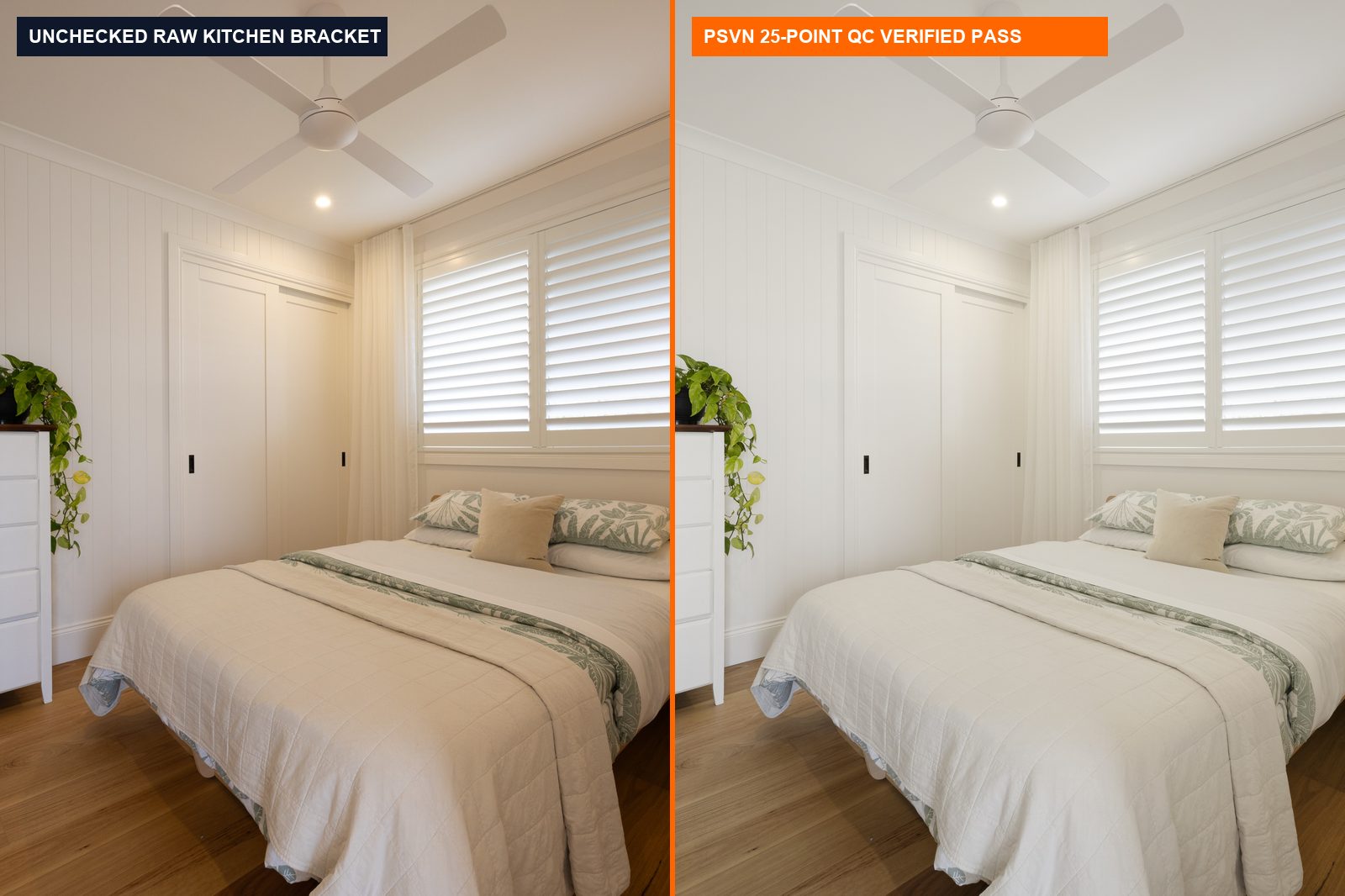
How PSVN Enforces This Checklist Across Multi-Photographer Studios
As we revealed in our deep dive into why 1-layer editing fails and how 2-Layer Quality Control works, even an experienced editor can miss a subtle magenta cast or a mirror flash reflection after blending 60 photos in a row. Here is how our production architecture turns this real estate photo editing checklist into an automated quality guarantee:
- Custom Studio Style Profile Lock-In:
– During onboarding, we convert your preferences for window opacity (40%soft Nordic vs.65%crisp US MLS), color temperature (4800Kneutral vs.5200Kwarm), and TV/fireplace rules into a permanent Custom Real Estate Photo Editing Style Profile attached to your studio ID. - Grid-View Gallery Consistency Audit (Checkpoint #10):
– Before Layer-2 QC approves a folder, the inspector opens all 35 to 80 images simultaneously in a calibrated 4K grid view.
– If Shot #4 (kitchen wide angle) and Shot #9 (kitchen island reverse angle) show even a200Kwhite balance shift or a0.3 EVbrightness mismatch on the same cabinets, the image is flagged and corrected before you ever wake up. - Scaling Multi-Shooter Media Agencies Without Quality Drift:
– When your agency hires 3 to 10 associate photographers shooting mixed Sony, Canon, and Nikon bodies—as covered in our blueprint on scaling real estate media agencies with dedicated editing pods—our 25-point checklist normalizes every shooter’s output so your Realtors receive one unmistakable brand look.
Copy-and-Paste 60-Second Pre-Upload Checklist for Photographers
Want your overnight edits to come back even cleaner? Have your field photographers run this 5-point on-site check before uploading RAW brackets:
- Camera Height: Tripod leveled at
48–54 inches(120–135 cm)—chest height in living areas, counter-clearance height (52–56 inches) in kitchens. - Bracketing Spread:
3 to 5 bracketsat2.0 EVspacing (-4, -2, 0, +2, +4or-2, 0, +2in Aperture Priorityf/8,ISO 100–200), plus a darkened1/250sflash frame for HDR vs. Flambient workflows. - Lights & Fans: All interior lamps and under-cabinet LEDs ON; all ceiling fans and TV screens OFF.
- Blinds & Doors: Window blinds tilted horizontal (fully open) at uniform heights; toilet lids DOWN; shower curtains neatly pulled.
- Markup Folder: Drop any special object removal or decluttering reference screenshots into a
Notessubfolder before your local evening cutoff.
Frequently Asked Questions
Why does a real estate photo editing checklist require 2-Layer Quality Control?
When a single editor blends and exports their own work (1-layer workflow), visual fatigue causes them to overlook 4% to 8% of small geometry, color-cast, or window-halo defects. Separating production into Layer-1 Pod Blending and an independent Layer-2 Senior QC Inspector checking all 25 points reduces client revision rates below 0.8%.
Can I customize PSVN’s 25-point checklist to match my regional market?
Yes. Whether you need bright Scandinavian natural light for Sweden’s Hemnet portal, rich coastal warmth for Australian REA listings, or crisp window pulls for US MLS boards, your dedicated pod customizes Checkpoints #6 through #23 to your exact studio specification.
Does PSVN charge extra for the 25-point 2-Layer QC inspection?
Never. Full 25-point 2-Layer Quality Control is included on every single order—from $0.60 USD Single Exposure and $0.75–$0.85 USD HDR/Flambient photos to $8.00 USD floor plans and $12.00–$20.00 USD walkthrough videos.
How can I test PSVN’s 25-point QC checklist on my own RAW photos for free?
Visit our Start Free Trial page and upload 3 RAW bracketed photo sets + 1 walkthrough video clip (or up to 5 RAW photo sets). Our team will process your files through the full 25-point 2-Layer QC checklist and deliver them within 12 hours at zero cost—plus give you 10% off your first month’s invoice.
Related Technical Guides
View All 44 B2B Guides →