Window Pull Real Estate Photo Editing Guide: Crisp Exterior Views Without Halos in Flambient & HDR (2026)
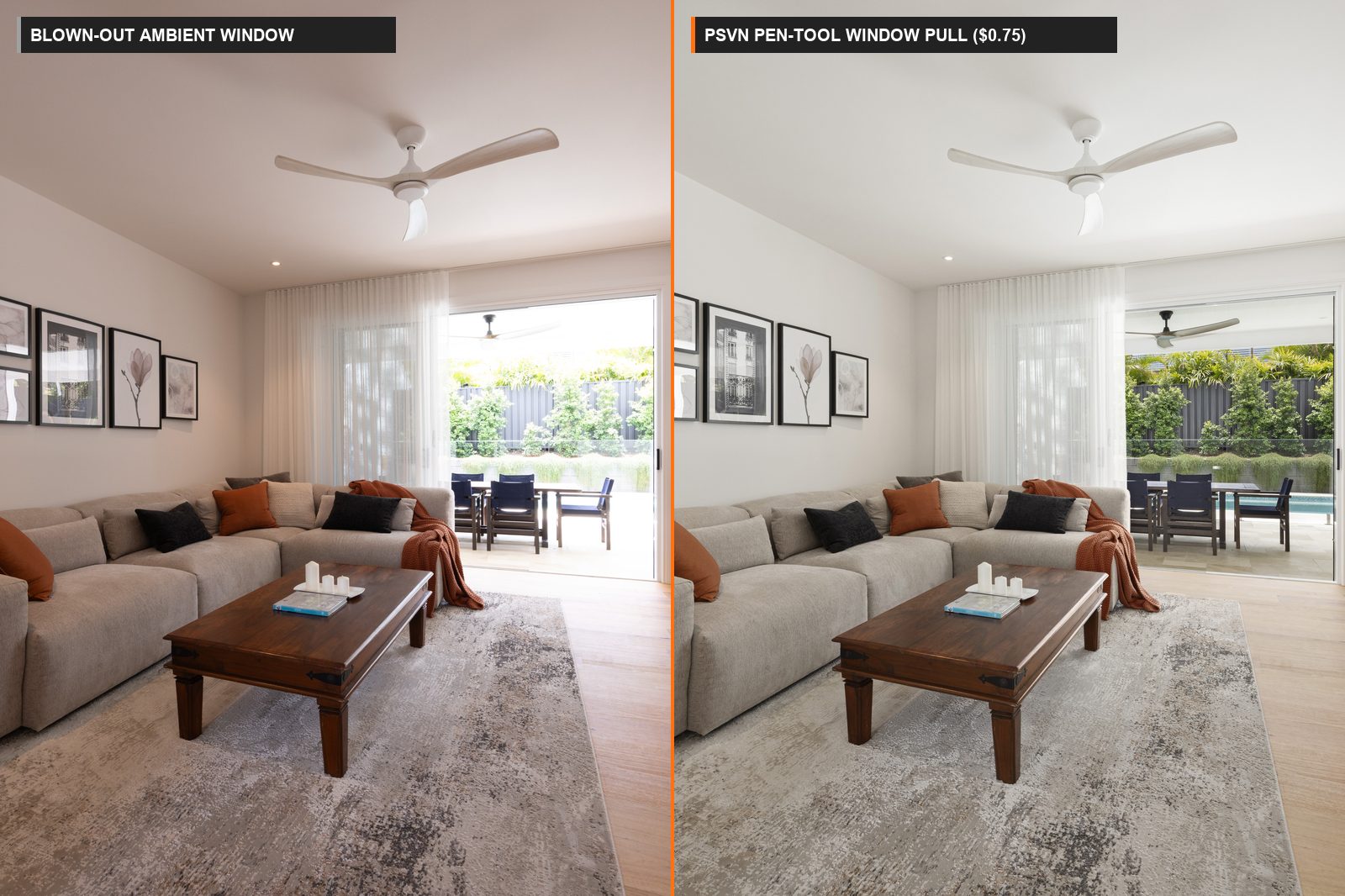
Executing a natural window pull real estate photo editing blend—where buyers can clearly see the backyard pool, ocean horizon, or city skyline through interior glass without dark gray halos or fake “sticker” cutouts—is the hallmark of luxury property photography. At PSVN (Photo Services Vietnam), our 80+ specialist editors hand-mask over 4,000 interior frames every night, delivering precision pen-tool and luminosity window pulls inside our $0.75 USD (A$1.15 AUD · £0.65 GBP) HDR and $0.85 USD (A$1.30 AUD · £0.70 GBP) Flambient tiers via our real estate photo editing service.
By Khanh Tran & PSVN Post-Production QC Team · Updated October 27, 2026
Why Automated HDR & AI Tools Fail at Window Pull Real Estate Photo Editing
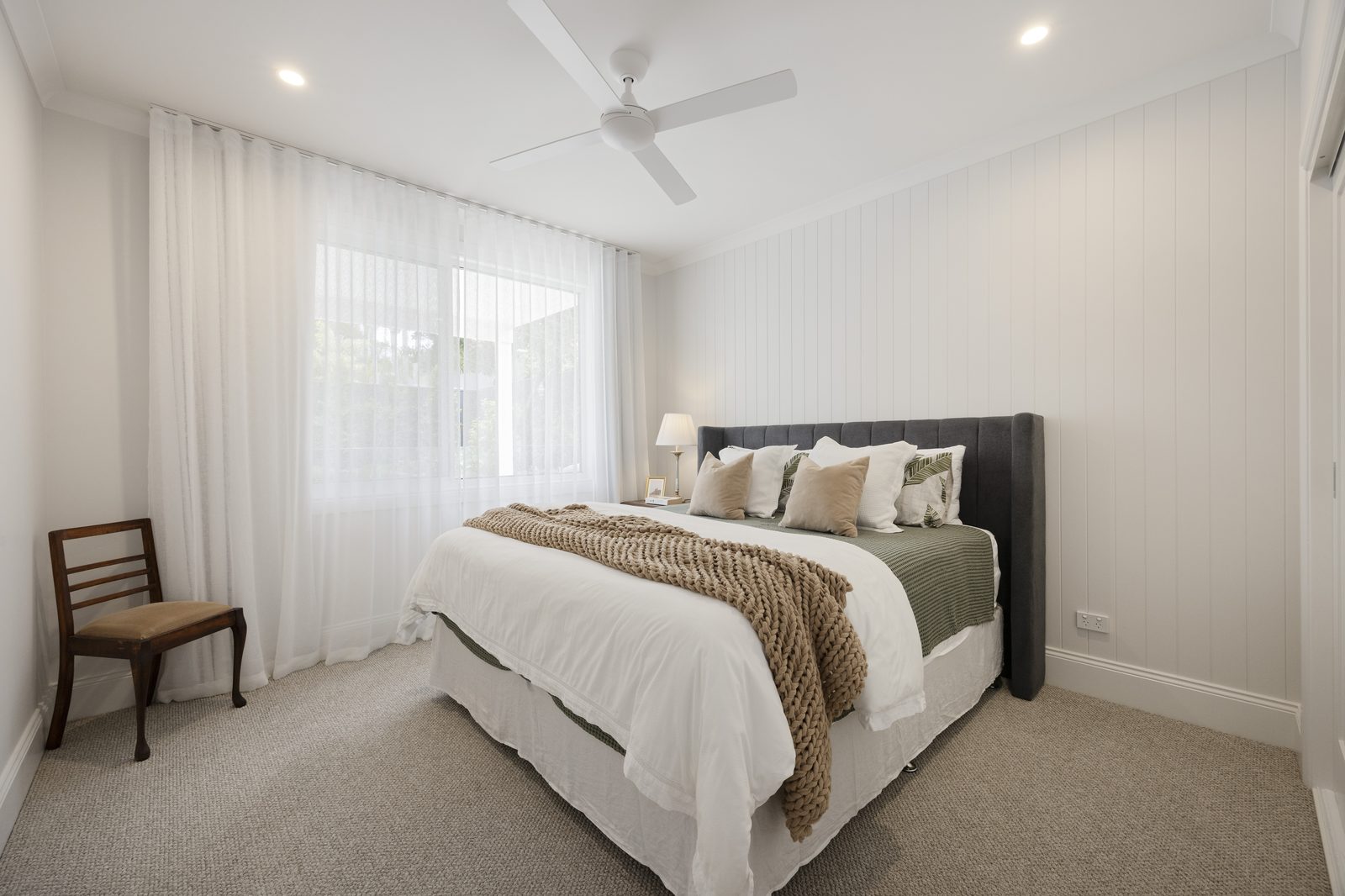
When a bright sunny exterior is 6 to 8 stops brighter than an interior living room, automated Lightroom HDR merges and AI apps struggle with the high-contrast transition along window mullions, sheer curtains, and Venetian blinds. Below is how PSVN’s manual Photoshop workflow compares against automated merging:
| Window Pull Technical Parameter | Automated Enfuse / AI Tone-Mapping | 1-Layer Budget Freelancer (Quick Selection) | PSVN 2-Layer QC Hand-Blended Window Pull ($0.75–$0.85) |
|---|---|---|---|
| Masking Method | Global highlight compression slider | Feathered magic wand / quick brush | 1px Vector Pen-Tool Path + Luminosity Channel Mask |
| Window Mullion & Blind Edges | Glowing white/gray halo around frames; muddy blinds | Hard cutout lines or spilled blue sky on white trim | Crisp white mullions (R=G=B) with zero color bleed |
| Exterior Exposure Opacity | Dark, unnatural “sunglasses” look (100% dark pull) | Inconsistent from room to room | Calibrated 55% – 70% natural daylight opacity |
| Glass Reflection & Glare Control | Retains green/magenta chromatic aberration | Erases glass completely (looks like an open hole) | Darken Mode strobe frame removes glare while keeping 10–15% glass sheen |
| Included in Base Editing Rate? | Yes (Low quality) | Often charges $0.50+ extra for complex blinds | 100% Included in $0.75 HDR & $0.85 Flambient rates |
How to Shoot Raw Frames for Flawless Window Pulls (HDR vs. Flambient)
Great window pull real estate photo editing starts with giving your editor an unclipped exterior exposure frame on site. Depending on whether you shoot HDR bracketing or hand-blended Flambient, follow these field capture rules:
1. For 3-to-5 Bracket HDR Shooters ($0.75 USD / Photo)
- Use 5 Brackets at
±1.5 EVor 3 Brackets at±2.0 EV: Ensure your fastest shutter speed frame (typically1/250sto1/1000satf/8, ISO 100) exposes the outdoor clouds, trees, and neighboring homes cleanly with zero highlight clipping on the histogram. - Lock Tripod Stability: Even a 2mm tripod shift during a 5-frame burst creates double-edges on thin window grids and balcony railings.
2. For Hand-Blended Flambient Shooters ($0.85 USD / Photo)
- Capture the Dedicated “Window Pull Pop” (
1/200s – 1/250s): Set your shutter speed to expose for the outdoor view (-2.0 EVto-2.5 EVbelow ambient), step to the side of the window, and fire a bare speedlight or AD200 strobe (1/2to1/1power) pointed directly at the window frame from a 45-degree angle. - Why Editors Love This Frame: In Photoshop, our editors set this flash-lit dark frame to Darken Blending Mode. Because the strobe illuminates the interior window frame brighter than the ambient exposure while the exterior view remains darker than the blown-out ambient window, the exterior view drops into place automatically with zero haloing around complex blinds or houseplants.
The 3 Golden Opacity Rules Inside PSVN’s 2-Layer Quality Control
The biggest mistake in amateur window pull real estate photo editing is making the outside view darker than the inside room—creating an artificial “pasted-on” look that violates our 25-point real estate photo editing checklist. Under PSVN’s 2-Layer Quality Control process, every window pull is calibrated by exposure zone:
- Standard Daytime Suburban Windows (
55% – 65%Pull Opacity): The outdoor lawn and sky should remain0.5 to 1.0 stopbrighter than the interior walls so the human eye perceives authentic natural daylight entering the room. - Luxury Ocean, Golf Course, Lake & Skyline Hero Views (
70% – 80%Pull Opacity): When the view is a primary selling feature of a$2M+listing, we pull deeper contrast and color saturation into the water and skyline—as detailed in our sky replacement and twilight window view guide. - Frosted Bathroom Glass & Neighboring Brick Walls (
20% – 35%Soft Recovery): When a window looks directly at an unsightly fence or neighbor’s siding 4 feet away, our editors keep the window bright and softly diffused unless your custom studio style profile specifies full clarity.
Frequently Asked Questions
How much does window pull real estate photo editing cost at PSVN?
At PSVN, precision window pull real estate photo editing is 100% included inside our standard multi-bracket rates: $0.75 USD (A$1.15 AUD · £0.65 GBP) per photo for 3-to-5 bracket HDR blending, and $0.85 USD (A$1.30 AUD · £0.70 GBP) per photo for hand-blended Flambient. We never charge extra fees for plantation shutters, sheer curtains, or multi-pane French doors.
Can PSVN pull clear window views if I only shoot 3 HDR brackets without flash?
Yes. Provided your darkest bracket (-2.0 EV) retains detail outside the window, our editors combine a hand-drawn 1px Pen-Tool path with a Luminosity selection mask and defringe filter (1–2px) to eliminate chromatic aberration and deliver a clean, halo-free window view at $0.75 USD/photo.
What if the darkest bracket is still blown out to pure white outside?
If an overexposed window contains zero raw sensor data (RGB 255, 255, 255), pulling it down turns the window muddy gray. In those cases, PSVN applies a soft, natural daylight bloom (or, upon client request and where compliant with MLS photo editing rules, blends a matching exterior view from another angle of the same property).
How can I test PSVN’s window pull quality on my toughest brackets for free?
Go to our Start Free Trial page and upload 3 to 5 of your hardest high-contrast window bracket sets (including sheer curtains, blinds, or ocean views). Our team will hand-blend and return your gallery within 12 hours at zero cost, plus include a 10% discount on your first month.
Related Editorial Guides
View All 48 Guides