
Oct 23, 2026
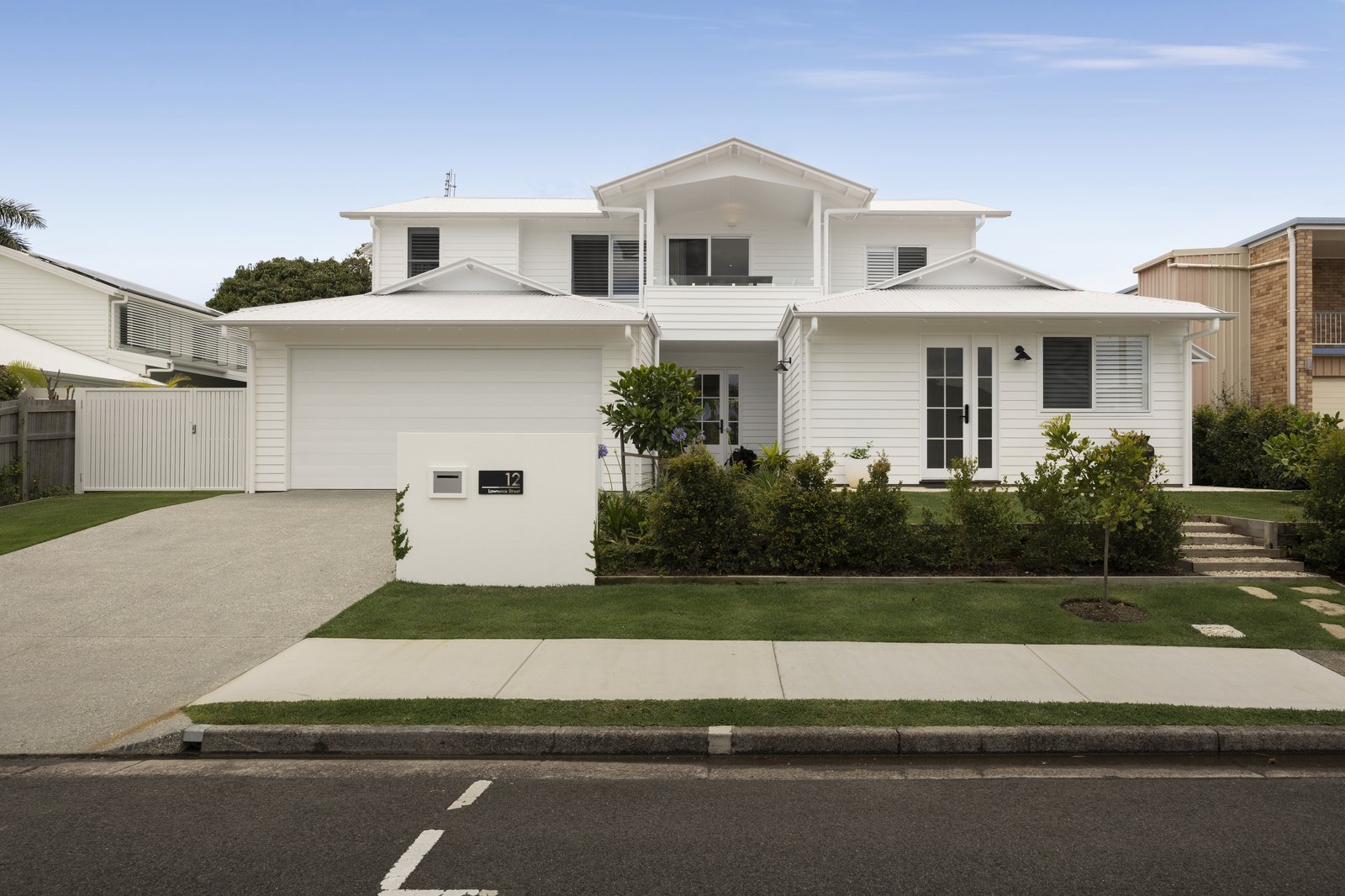
Mastering winter rainy day real estate photo editing allows photography studios to keep full production calendars 12 months a year—eliminating costly weather cancellations across rainy UK winters, snowy Canadian and US Northeast listings, and stormy Australian coastal markets. At PSVN (Photo Services Vietnam), our 80+ full-time photo/video editors and QC specialists rescue dull, overcast, rain-soaked exteriors inside a 12-hour overnight SLA starting at $0.60 – $1.20 USD (A$0.90 – A$1.80 AUD · £0.50 – £0.95 GBP) through our real estate photo editing service. Every finished gallery passes 2-Layer Quality Control so winter homes look inviting without looking artificial.
By Khanh Tran & PSVN Post-Production QC Team · Updated November 19, 2026
Direct Answer: Winter rainy day real estate photo editing rescues gloomy shoots by matching soft blue-sky swaps to diffused cloud shadows, cleaning lens raindrops and mud splatters, recovering dormant turf, and warming interior windows. Standard edits cost $1.20 USD, Advance repairs start at $3.00 USD, and Manual Day-to-Dusk runs $8.00 USD.
Real estate agents operating on tight 48-hour MLS launch windows cannot wait five days for clear blue skies. Canceling field shoots during prolonged November-to-March storm cycles leaves photographers with idle calendars and lost recurring bookings—one of the key retention gaps analyzed in our 7 hidden reasons real estate photographers lose clients breakdown across high-rainfall regions like our UK real estate photo editing desk.
Instead of rescheduling whenever clouds roll in, top studios capture clean multi-bracket RAW exteriors in light mist or overcast conditions and let PSVN’s overnight production team handle weather remediation. The matrix below maps every winter and rainy-day defect directly to PSVN’s verified studio tiers.
| Weather Defect & Listing Rescue Scenario | PSVN Tier Mapping | USD / AUD / GBP Rate | Technical Post-Production Protocol | Anti-Fake Realism Guardrail |
|---|---|---|---|---|
| Overcast Blue-Sky Swap & Wet-Driveway Reflection Matching | Standard HDR / Flambient | $1.20 USD (Basic from $0.60 · A$1.80 · £0.95) | Soft fair-weather sky swap (6200K), gentle directional facade dodging (+0.35 EV), matched sky reflection tint on damp pavement | Avoids harsh mid-summer cyan skies when roof eaves cast zero hard daytime shadows |
| Raindrop, Lens-Spot & Mist Haze Removal | Advance Photo Editing / Basic Removal | from $3.00 USD (Basic removal $1.00 · A$4.50 · £2.40) | Frequency-separated lens-droplet cloning on soffits and glass, Dehaze micro-contrast balancing, window glare cleanup | Preserves natural brick mortar and siding texture without waxy AI smoothing |
| Mud Splatter, Road Slush & Dormant-Turf Recovery | Standard + Items Removal | $1.20 – $3.00 USD (Heavy cleanup up to $8.00–$14.00 · A$1.80–A$21.00 · £0.95–£11.50) | Selective cloning of wet tire tracks and dead leaves; balanced olive-green turf tone or crisp white snow brightening | Keeps curb edges, tree shadows, and driveway seams intact for regional MLS accuracy |
| Warm Interior Lighting Boost & Cold Window Spill Fix | Standard / Twilight Color Cast | $1.20 – $1.80 USD (A$1.80–A$2.70 · £0.95–£1.45) | Luminosity-masked removal of 7500K–8500K blue overcast window spill; warm fireplace flame insertion & 3200K lamp balance | Maintains accurate white quartz countertops and true-to-life hardwood stain colors |
| Stormy Exterior to Luxury Virtual Twilight Conversion | AI / Manual Day-to-Dusk | $3.00 USD (AI D2D) · $8.00 USD (Manual D2D · A$4.50–A$12.00 · £2.40–£6.50) | Deep twilight gradient sky, 2800K warm window illumination, landscape lighting, and mirror-like sunset reflection across wet concrete | Turns rain-soaked driveways into glossy dusk reflections with balanced horizon luminance |
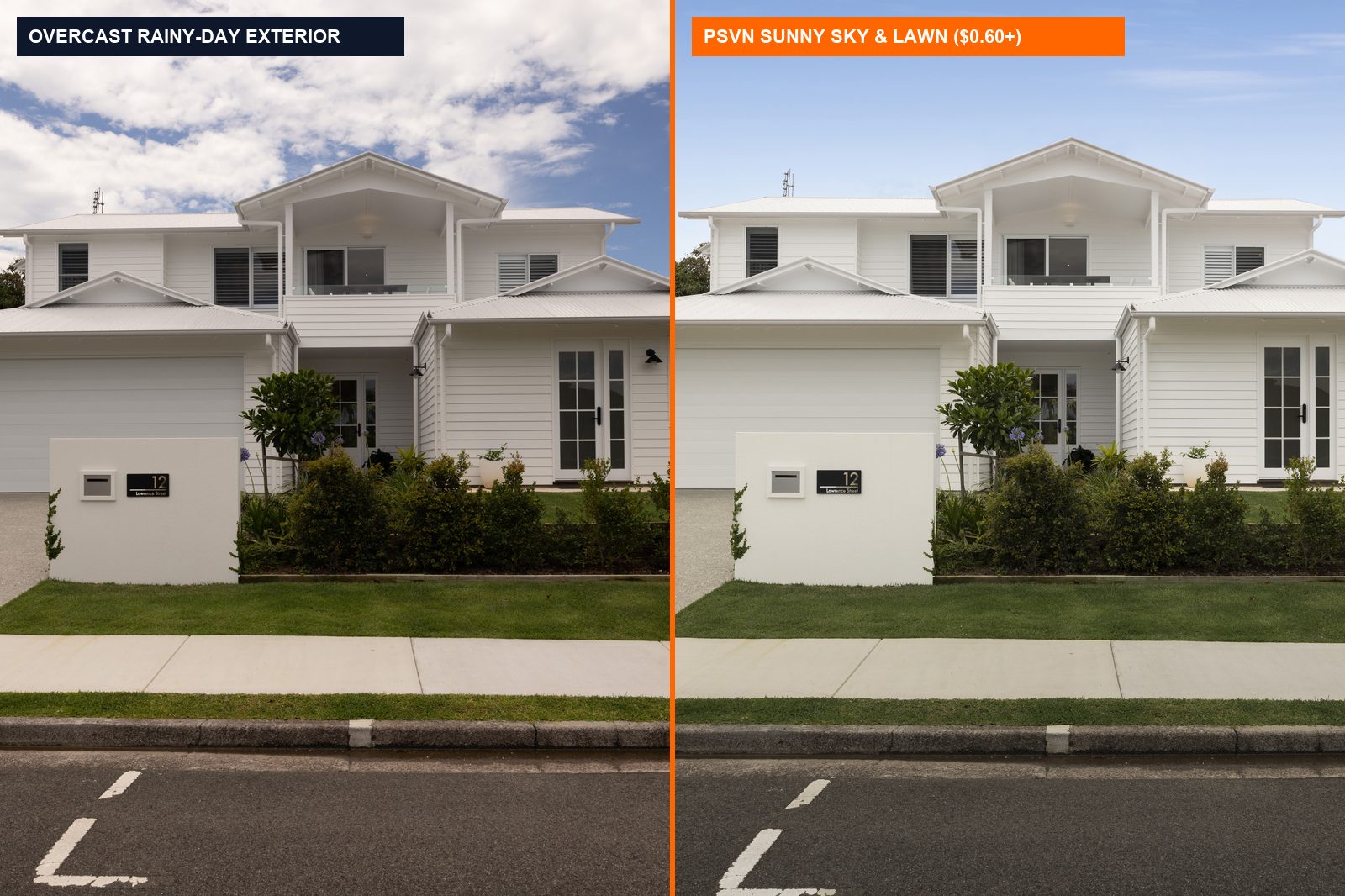
Direct Answer: Cheap sky swaps look fake because editors paste bright summer clouds behind a flat, shadowless house while ignoring wet pavement reflections. PSVN matches soft, high-cloud sky luminance to diffused ambient lighting and blends natural reflection gradients onto damp driveways and windows for believable realism.
The fastest giveaway of amateur winter editing is an optical clash between sky brightness and building shadows. Under storm clouds, light arrives evenly from every direction, leaving zero crisp shadows under roof eaves or porch columns. Dropping a high-contrast July noon sky behind that flat elevation immediately feels artificial—especially above a dark, rain-soaked asphalt driveway.
Under PSVN’s 2-Layer Quality Control protocol, editors enforce three physical lighting corrections on every overcast frame:
6000K–6400K soft-cloud skies whose horizon brightness matches diffused wall contrast.+0.35 EV luminosity across the front elevation and crisp glass reflections tie the replaced sky directly into the architectural geometry.Direct Answer: PSVN editors isolate lens raindrops using high-pass texture cloning, remove mud splatters and slush piles under our $1.00–$14.00 items removal workflow, and shift dormant winter grass toward muted seasonal greens. Preserving natural soil and masonry grain keeps curb appeal vibrant without looking plastic.
Shooting outdoors in winter drizzle puts water beads onto wide-angle glass and tracks mud across walkways. Spot-healing brushes smear siding and brick mortar, so our Advance editing workflow (starting from $3.00 USD) and Basic cleanup ($1.00 USD) use frequency separation and multi-frame bracket alignment to pull clean texture from unspotted frames.
Direct Answer: Replacing light brown turf patches or brightening dirty plow slush is generally accepted on MLS portals, whereas erasing deep snow piles to fabricate a full summer yard can trigger misrepresentation penalties. Review regional guidelines across Canada, Sweden, and the US before requesting full seasonal turf swaps.
Winter editing sits squarely between marketing appeal and MLS disclosure rules. Across northern markets served by our Canada real estate photo editing hub and our Sweden and Nordic photo editing desk, buyers expect truthful seasonal representation.
Follow the practical guidelines inside our MLS photo editing compliance guide:
2800K interior window glow and coach lanterns naturally while staying honest about winter weather.Direct Answer: Overcast winter light floods interiors with 7500K–8500K blue color casts that clash with warm indoor lamps. PSVN neutralizes cold window spill using luminosity masks, balances ambient ceiling tones, and adds realistic fireplace flames so winter rooms feel cozy while preserving accurate paint and wood colors.
Storm clouds push outdoor light up to 7500K – 8500K, turning white drywall, marble islands, and pale hardwood floors cold steel-blue beside windows while indoor bulbs burn 2700K amber. Pulling the global Lightroom temperature slider warmer ruins neutral ceilings and turns oak trim muddy yellow. Our $1.20 USD Standard and $1.80 USD Twilight interior workflows preserve true interior surfaces by isolating three separate zones:
Direct Answer: On overcast or rainy days, shoot 3-to-5 bracket HDR (plus or minus 2.0 EV) at ISO 100–200 on a tripod, carry microfiber lens cloths under a small rain umbrella, and keep exterior shutter speeds fast enough to freeze falling mist. Clean brackets let PSVN extract rich architectural detail.
Because storm clouds cut outdoor luminance by two to four stops compared to clear afternoons, clean RAW dynamic range in any supported format (CR2, CR3, NEF, ARW, DNG, RAF, ORF, RW2, JPG, or TIFF) makes overnight post-production faster, sharper, and completely noise-free across dark front porches:
+0.7 EV to +1.0 EV so auto-metering never turns fresh white snow into flat mid-grey slush.Direct Answer: Standard overcast sky swaps, dormant lawn recovery, and fireplace flames are included in PSVN’s $0.60–$1.20 USD photo editing rates. Wet-driveway items removal runs $1.00–$3.00 USD, while AI or Manual virtual twilight conversions run $3.00–$8.00 USD with free 12-hour trial testing.
Standard overcast blue sky replacement, dormant grass greening, facade lifting, and fireplace flames are included in PSVN’s $0.60 – $1.20 USD base rates (Basic $0.60 · AI Golden $1.00 · Standard $1.20; A$0.90 – A$1.80 AUD · £0.50 – £0.95 GBP). Wet-driveway or raindrop items removal ranges from $1.00 – $3.00 USD. Dedicated virtual twilight conversions run $3.00 USD (AI) or $8.00 USD (Manual).
Yes. Minor tire tracks, mud spots, and lens raindrops clear under Basic and Standard Items Removal ($1.00 – $3.00 USD), while blotchy concrete equalizes cleanly so driveways appear dry—or reflect warm sunset glow naturally under Manual Day-to-Dusk ($8.00 USD).
For light overcast clouds with dry pavement, Standard Blue Sky Swap ($1.20 USD) looks crisp and natural. For heavy rain, soaked asphalt, or deep snowbanks, Manual Day-to-Dusk ($8.00 USD) delivers superior realism because wet surfaces naturally mirror twilight hues and warm interior windows.
Upload 3 RAW photo sets + 1 video clip (or up to 5 RAW bracketed photos) through our Start Free Trial page with no credit card required. Receive finished edits within 12–24 hours—backed by 100% free unlimited revisions—plus a 10% discount on your first month’s invoice.
Related Editorial Guides
View All Guides