Oct 26, 2026
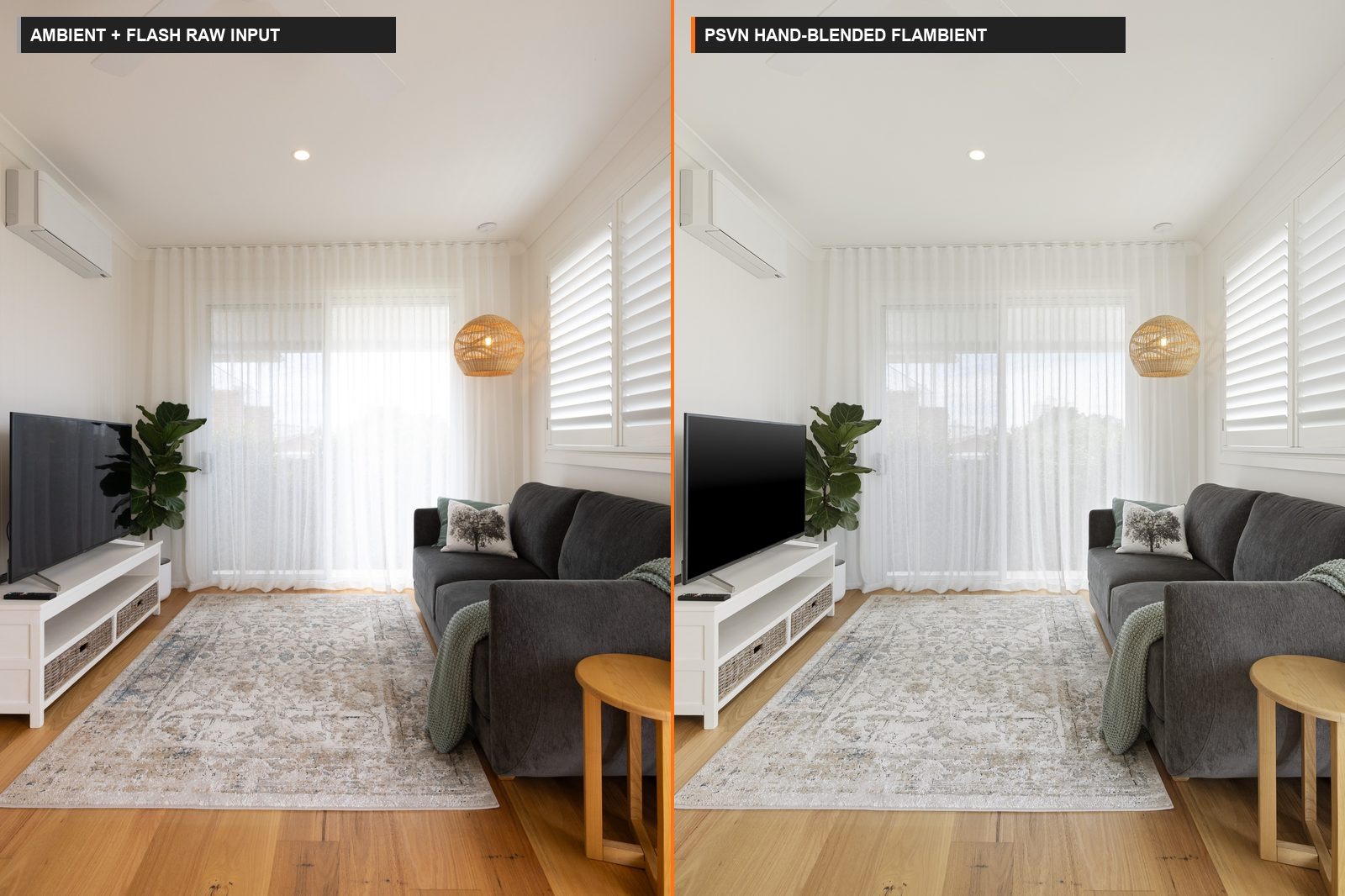
Engineering a standardized real estate photography post-production workflow is how commercial property studios scale from 10 shoots a week to 150+ weekly listings without visual drift between rooms, cameras, or associate shooters. Inside Photo Services Vietnam (PSVN), 80+ full-time editors and Senior QC Inspectors across Hanoi, Tuyen Quang, and Lang Son process 4,000+ property visuals daily—delivering hand-calibrated HDR and Flambient galleries from $0.60 to $1.20 USD per photo (A$0.90–A$1.80 AUD · £0.50–£0.95 GBP) on a contractual 12-hour overnight SLA. Volume based pricing available for high-volume clients.
By Khanh Tran & PSVN Post-Production QC Team · Head of Real Estate Visual Post-Production & Quality Control
A standardized real estate photography post-production workflow divides raw file processing across specialized desks: intake triage, RAW sensor profiling, Photoshop manual layer blending, add-on retouching, independent Senior QC inspection, and dual-resolution packaging. This 6-desk pipeline ensures color consistency and sub-12-hour delivery across thousands of daily listing images.
High-throughput B2B editing studios eliminate bottlenecks by splitting post-production into six specialized operational desks—intake triage, RAW colorimetric profiling, manual layer masking, exterior/value-add retouching, independent Senior QC sign-off, and dual-resolution packaging. Unlike solo presets or unmanaged gig freelancers where one person handles intake, blending, and final export without peer review, PSVN routes every property folder through discrete verification gates with strict cycle-time budgets.
Below is the desk-by-desk production architecture that turns an unedited 35-image bracketed upload into a calibrated morning gallery inside 12 hours (or 4–6 hours on urgent rush orders):
| Production Desk & Role | Core Software & Technical Operations | Input → Output Handoff Artifact | Target Desk Cycle (35-Frame Order) |
|---|---|---|---|
| Desk 1: 24/6.5 Intake & Bracket Triage | Cloud sync via Dropbox, Google Drive, OneDrive, Box, WeTransfer, or FTP; bracket grouping & corrupt-frame check | .CR2/.CR3/.NEF/.ARW/.DNG/.RAF/.ORF/.RW2 → Grouped room stacks + order manifest | 10–15 minutes from upload receipt |
| Desk 2: RAW Color & Optical Geometry | Adobe Camera Raw (.XMP) sensor matrix normalization, chromatic aberration strip & guided Upright plumb alignment | Raw exposures → Geometry-locked 16-bit baseline plates matched to your Custom Studio Style Profile | 25–35 minutes across full property |
| Desk 3: Layer-1 Photoshop Blending Pod | Manual multi-layer HDR or Flambient compositing, pen-tool/luminosity window pulls & specular glare suppression | 16-bit plates → Layered .PSD/.TIFF masters with 55%–65% window clarity | 90–140 minutes (parallelized on 50+ photo estates) |
| Desk 4: Exterior & Parallel Add-On Desk | Shadow-matched sky plates, turf grading, fireplace/TV swaps + parallel Items Removal ($1–$14) & Day-to-Dusk ($3–$8) | Interior/exterior masters → NAR Article 12 / NTSELAT / REA compliant retouched frames | 30–45 minutes concurrent with Desk 3 |
| Desk 5: Independent Layer-2 Senior QC | Adobe Bridge full-gallery grid audit + 100%–200% pixel inspection against our 2-Layer Quality Control checklist | Candidate gallery → Signed-off master set (or instant internal loop-back fix before export) | 15–20 minutes by non-editing QC Lead |
| Desk 6: Dual-Resolution Delivery Packaging | sRGB IEC61966-2.1 profile embed, sharpening pass & dual Web-MLS + Full-Res Print JPEG generation | Verified masters → Organized client cloud folders delivered before 8:00 AM local time | 5–10 minutes automated sync |
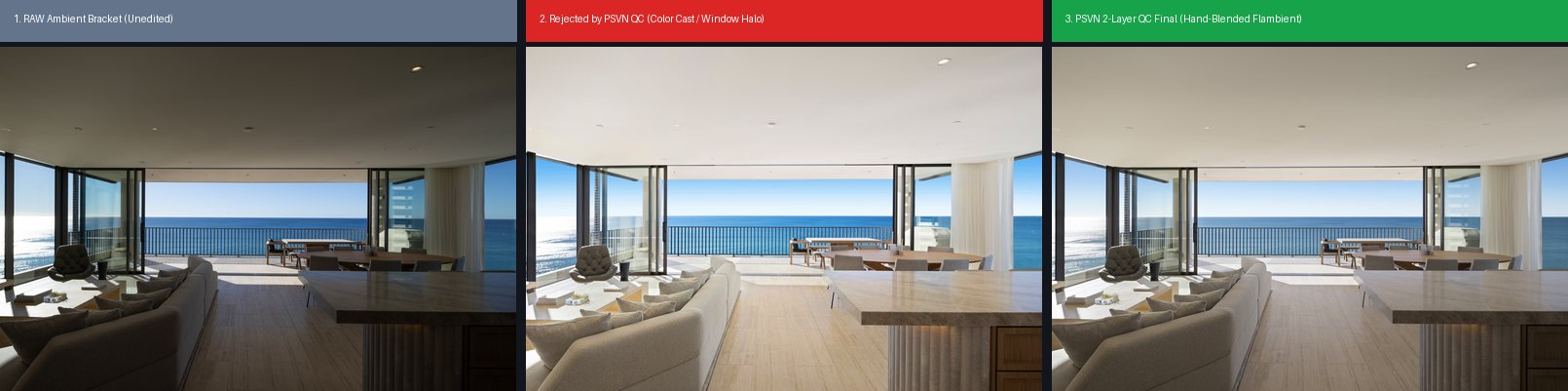
Before a single layer mask is brushed in Photoshop, Desk 2 neutralizes raw sensor color biases and wide-angle optical distortion in Adobe Camera Raw so mixed camera bodies produce one unified studio look. Multi-photographer agencies routinely combine Sony .ARW, Canon .CR3, Nikon .NEF, Fujifilm .RAF, and DJI aerial .DNG files inside the exact same property folder—each carrying distinct green-magenta tint shifts and highlight roll-off curves.
R=G=B ceiling balance while preserving warm oak and walnut floor tones.14mm–16mm rectilinear zooms introduce barrel curvature along kitchen islands and purple-green lateral chromatic aberration around high-contrast window muntins. Applying exact lens profile geometry plus defringe sliders prevents colored edge halos during downstream window masking.Automated HDR merge plugins flatten midtone contrast and leave smoky grey halos around window frames because global tone-mapping operators cannot distinguish an interior white wall from a bright exterior patio. Inside PSVN’s Desk 3 pod, editors construct a clean, non-destructive Photoshop layer stack tailored to your tier—from Basic ($0.60 USD) and AI Golden ($1.00 USD) to Standard HDR/Flambient ($1.20 USD), Twilight color-cast editing ($1.80 USD), Advance (from $3.00 USD), and Architectural ($4.00 USD):
| Photoshop Layer Order (Bottom → Top) | Blend Mode & Masking Technique | Visual Defect Eliminated |
|---|---|---|
| 1. Base Ambient Luminance Plate | Normal mode (middle ambient exposure balanced for natural room shadow falloff) | Prevents the harsh, artificial “flashed cave” look of overpoweringly strobed interiors |
| 2. Color-Accurate Flash / Strobe Pop | Color or inverted Luminosity blend mode brushed selectively over walls, ceilings & cabinetry | Strips 2700K tungsten orange and 6500K blue daylight window spill off white surfaces |
| 3. Dedicated Window Pull Exposure | Darken / Luminosity layer with precision polygonal pen paths & feathered muntin masks | Recovers crisp exterior trees, pools, and skylines without grey halos on blinds or sheer curtains |
| 4. Specular Glare & Reflection Pass | darkened ambient bracket brushed over hardwood planks, granite counters & leather seating | Removes blown white strobe hotspots on oiled timber floors and glossy kitchen islands |
| 5. Micro-Detail & Fixture Cleanup | Clone Stamp / Healing layer for smoke detectors, outlet cords, mirror tripods & TV/fire swaps | Delivers distraction-free architectural surfaces without altering permanent material property facts |
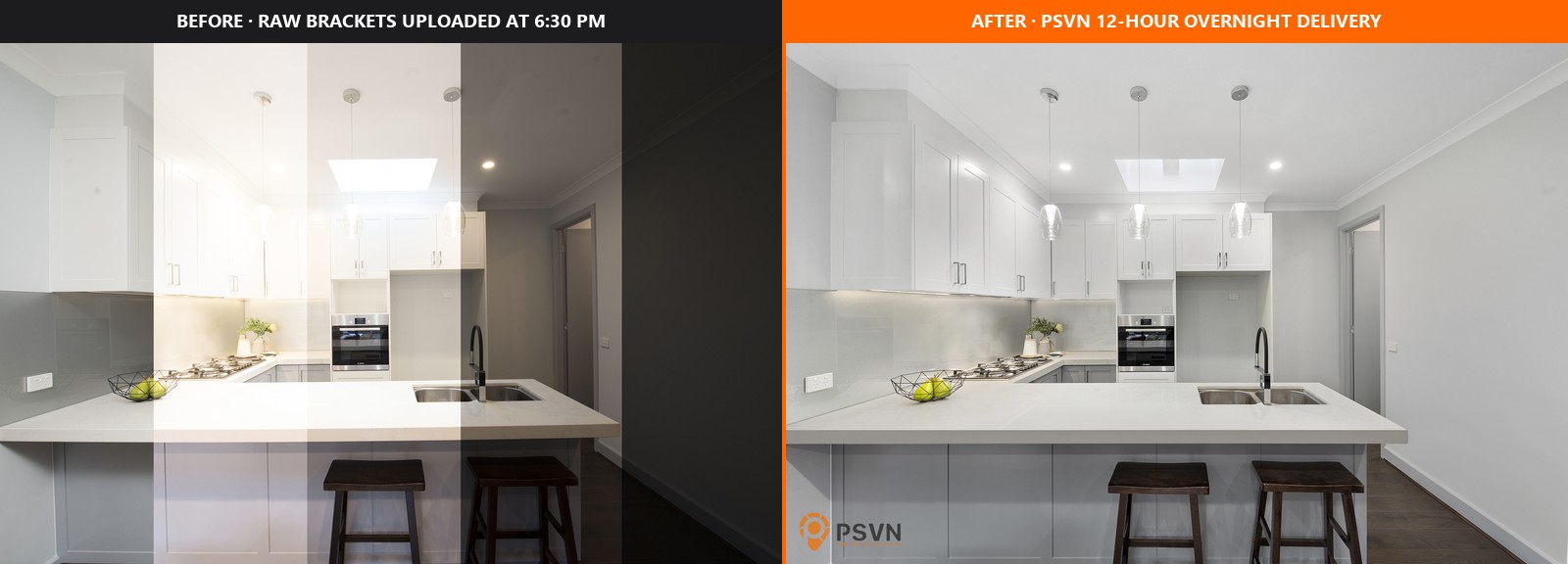
A production pipeline is only as reliable as its final inspection gate before files reach the photographer’s inbox. At Desk 5, a Senior QC Inspector who did not blend the shoot opens the entire 25-to-60 photo gallery alongside any parallel CAD floor plans ($11.00 USD First Floor / $6.00 USD Next Floor; $19.50–$23.00 USD 3D Plans), 3D Virtual Staging renders ($9.00–$60.00 USD), 360° virtual tour panoramas ($3.00–$8.00 USD), or 4K Walkthrough Videos ($10.00–$80.00 USD) to run a three-part sign-off:
sRGB Color-Space Lock & Dual Export: Leaving files in AdobeRGB or ProPhoto RGB causes dull, desaturated greens and skin tones on MLS portals and mobile browsers. Desk 6 embeds standard sRGB IEC61966-2.1 and exports both lightweight MLS-ready JPEGs (2048px–2500px) and full-resolution print masters, backed by 100% free unlimited revisions.Each operational desk inside PSVN operates with strict technical tolerances and designated software tooling. Our 80+ full-time specialists and Senior QC Inspectors across Hanoi, Tuyen Quang, and Lang Son maintain 12-hour overnight delivery backed by complete multi-currency wholesale pricing:
| Production Pipeline Desk | Primary Tooling & Calibration Standards | USD Wholesale Rate | AUD / GBP Equivalents | Desk Cycle SLA |
|---|---|---|---|---|
| Desk 1: Cloud Intake & Bracket Triage | Dropbox, Google Drive, OneDrive, Box, FTP; bracket verification & corrupt-file quarantine | Included in base | Included | 10–15 min from sync |
| Desk 2: RAW Color & Optical Geometry | Camera Raw 16-bit sensor profiling (.CR3, .ARW, .NEF, .DNG), R=G=B ceiling lock, 90° plumb | Included in base | Included | 25–35 min / order |
| Desk 3: Photoshop Blending Pod | Manual HDR & Flambient multi-layer blending, pen-path window pulls, specular glare control | Basic $0.60 · AI Golden $1.00 · Standard $1.20 · Twilight $1.80 | A$0.90–A$2.70 · £0.50–£1.45 | 12 Hours Overnight (4–6h Rush) |
| Desk 4A: Architectural & Advanced Stills | High-end flash compositing, selective material tone sculpting, luxury architectural finishing | Advance from $3.00 · Architectural $4.00 | A$4.50–A$6.00 · £2.40–£3.20 | 12 Hours Overnight (4–6h Rush) |
| Desk 4B: Parallel Add-On Retouching | Items Removal ($1–$14), Day-to-Dusk ($3–$8), 360° Panoramas ($3–$8), CAD Floor Plans ($6–$23) | Per service tier | A$1.50–A$34.50 · £0.80–£18.50 | 12–24 Hours concurrent |
| Desk 5: Independent Layer-2 Senior QC | Adobe Bridge 100%–200% zoom audit, color uniformity check, window-edge inspection | Included in base | Included | 15–20 min sign-off |
| Desk 6: Dual-Resolution Packaging | sRGB IEC61966-2.1 color embedding, high-res print JPEG + MLS-optimized web JPEG output | Included in base | Included | 5–10 min packaging |
Most MLS boards, Rightmove, and REA strip or ignore wide-gamut AdobeRGB profiles in web thumbnails. PSVN converts and embeds standard sRGB IEC61966-2.1 at Desk 6 so your blues, wood tones, and lawn greens render identically across desktop browsers, iPhones, and print flyers.
We accept native .CR2, .CR3, .NEF, .ARW, .RAF, .ORF, .RW2, .TIFF, and .JPG files, as well as Adobe Lightroom 16-bit Lossy DNG exports. Lossy DNG preserves full highlight latitude for clean window pulls while compressing multi-gigabyte camera cards into compact folders that sync into Desk 1 in minutes.
No. Permanent pod assignment, per-camera sensor normalization, and independent Layer-2 Senior QC sign-off are built into every $0.60–$1.20 USD (A$0.90–A$1.80 AUD · £0.50–£0.95 GBP) photo edit at zero surcharge, with free unlimited revisions included.
Upload 3 RAW bracketed photo sets + 1 video clip (or up to 5 RAW photo sets / 1 virtual staging image) on our Start Free Trial page. Our team will profile your camera sensors, run full 2-Layer Senior QC, and deliver your finished gallery in 12–24 hours 100% free—plus apply 10% off your first month’s invoice.
Related Editorial Guides
View All Guides