
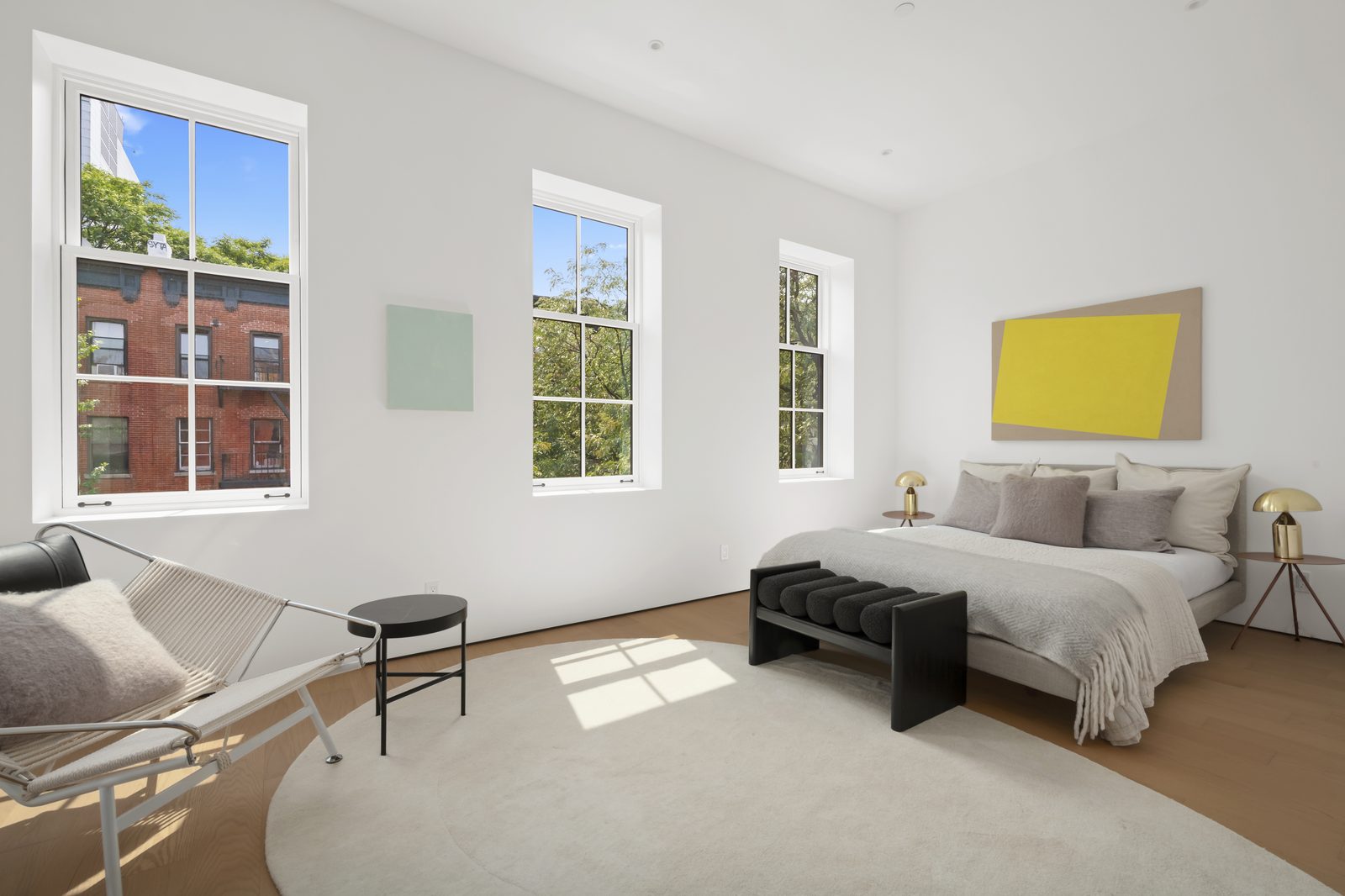
Real Estate Photo Editing Style Profile Guide: Window Pulls, White Balance & Markup Rules (2026)
Creating a documented real estate photo editing style profile is the difference between spending 45 minutes tweaking outsourced files every morning and waking up to galleries you can forward straight to your clients at 7:30 AM. At Photo Services Vietnam (PSVN), every studio onboarding into our 4-step overnight workflow and 2-Layer QC process receives a permanent Studio Style Profile that standardizes window pull opacity, Kelvin white balance, and TV/fireplace rules across your dedicated editing pod and Senior QC Inspector.
By Khanh Tran & PSVN Post-Production QC Team · Updated October 24, 2026
The 10-Parameter Real Estate Photo Editing Style Profile Template
Whether your studio shoots bright coastal homes in Queensland, brick colonials in Virginia, or warehouse lofts in Manhattan, our QC team documents these 10 exact technical parameters before your first production shoot goes live:
| Style Profile Parameter | Option A: Crisp MLS Bright Style | Option B: Natural Editorial / Warm Style | How PSVN Layer-2 QC Verifies It |
|---|---|---|---|
| 1. Overall Brightness & Shadow Lift | High key (+0.3 EV), open shadows in all corners | Balanced midtones, natural shadow falloff under furniture | Histogram check (RGB 240 highlights, no clipped blacks) |
| 2. Ceiling Color Rule | 100% desaturated pure white (R=G=B) on white ceilings | Preserve 15%–20% warm ambient glow around chandeliers | Color-sampler eyedropper verification across room angles |
| 3. White Balance Temperature | Cool-neutral daylight (4,800K – 5,100K) | Warm-inviting interior (5,200K – 5,500K) | Adobe Bridge Survey Mode gallery-wide comparison |
| 4. Window Pull Opacity & Frame Cut | Crisp pen-tool mask (75%–85% exterior visibility) | Soft luminosity blend (50%–65% natural bloom) | Zero grey halos on white blinds or mullions |
| 5. Interior Lights On / Off | All lights ON; warm bulb glow controlled | Lights OFF (natural daylight) or subtle warm accent | Consistent across all frames in the same room |
| 6. TV & Monitor Screens | Pure matte black or studio’s custom landscape/logo image | Off with natural glass reflection preserved | Exact perspective warp with zero moiré |
| 7. Fireplaces & Outdoor Fire Pits | Add realistic warm flame to all gas/wood fireplaces | Leave unlit unless lit on-site | Realistic orange glow on hearth without fake smoke |
| 8. Exterior Sky Replacement | Bright blue sky with soft cumulus clouds on overcast days | Keep original sky unless blown out; soft coastal blue | Shadow direction on driveway matched to sun position |
| 9. Lawn, Grass & Foliage | Full emerald/olive turf repair on brown patches | Subtle patch blending only (strict MLS compliance) | Natural texture matching grass replacement standards |
| 10. Export Resolution & Naming | Full-res Print (4000px+) + MLS Web (2048px) in sRGB | Custom sequence (01_Exterior_Front.jpg .. 35_Rear.jpg) | Automated pre-delivery script + QC checklist |
How to Send Fast Shot-Specific Markup Instructions (Without Slowing Down)
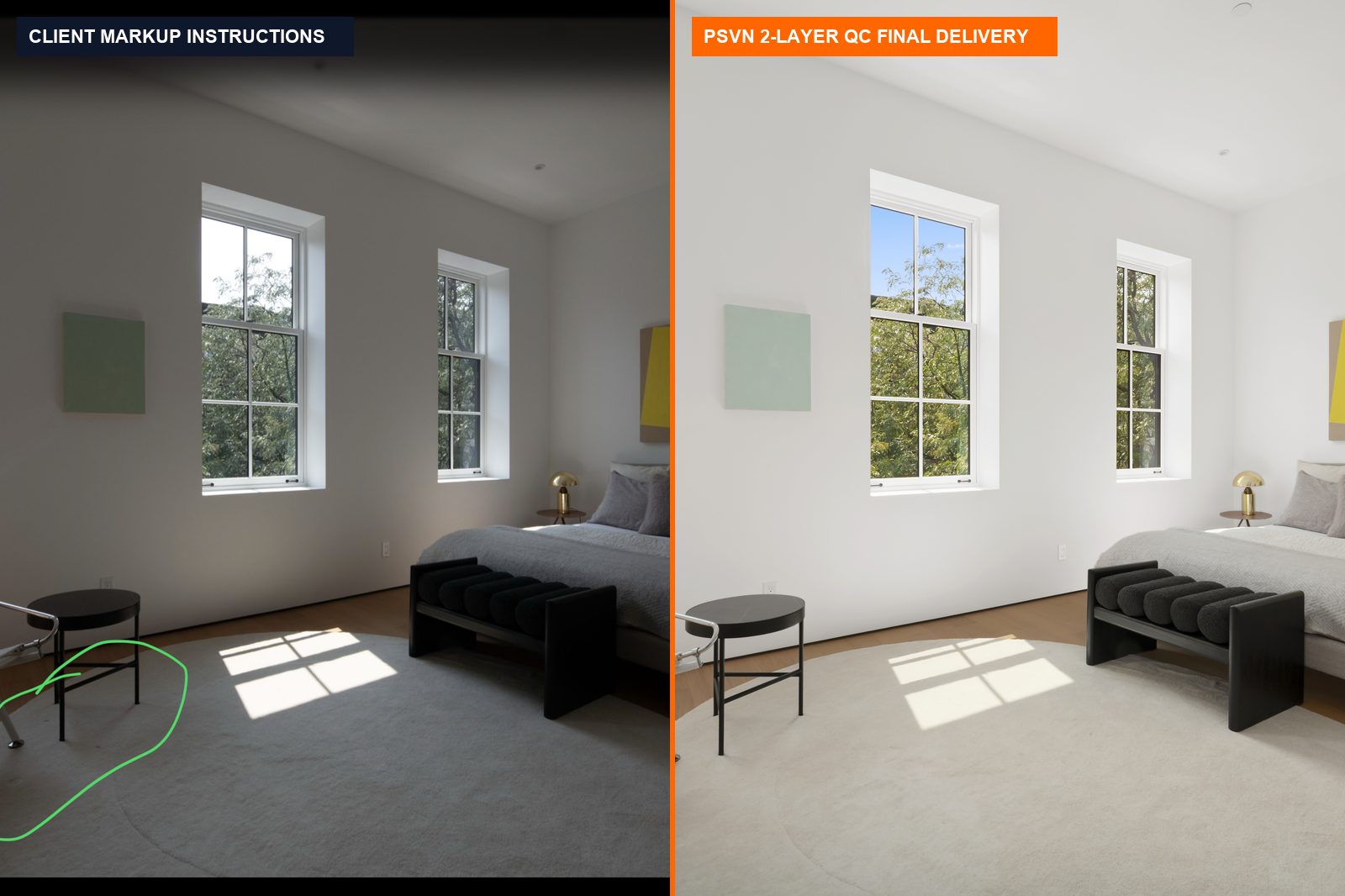
While your Studio Style Profile handles 95% of your daily real estate photo editing automatically at $0.60–$0.85 USD per photo (A$0.90–A$1.30 AUD · £0.50–£0.70 GBP), high-end listings occasionally require custom shot-by-shot retouching. Looking at the real client instruction sheet above (DSC 0369 instructions.png), here is the fastest way our studio partners communicate special requests:
- Circle & Color-Code on an iPad or Smartphone Screenshot: Take a quick screenshot of the unedited preview in Lightroom Mobile or Camera Raw, circle the target area in green or red, and drop the
.pnginto your upload folder alongside the RAW brackets:
– Example 1 (Electrical Cords & Floor Cables): Circle the radiator/AC power cord → PSVN erases the cord and reconstructs the baseboard and hardwood grain.
– Example 2 (Bedding Creases & Fabric Wrinkles): Circle rumpled duvet covers or curtain folds → PSVN uses frequency-separation smoothing to iron out fabric while keeping linen texture intact.
– Example 3 (Harsh Flash or Window Shadows): Point an arrow to a dark furniture shadow → PSVN blends the ambient frame and reconstructs even floor illumination. - Use Folder-Level Shorthand Tags: Don’t waste time typing long emails. Add short bracket tags to your job folder name—such as
124_Main_St_[MLS-Profile]_[TV-Black]_[Fire-ON]_[2x-Dusk-#01-#34]—and our intake coordinator applies those rules across your entire order.
How Style Profiles Scale Multi-Shooter Photography Agencies
As we highlighted in our breakdown of the workflow behind every consistently delivered image, growing from a solo operator to a 3- or 10-photographer media company creates a major quality headache:
- Photographer 1 shoots 5-bracket HDR on a Sony A7 IV (
14mm GM). - Photographer 2 shoots 3-bracket Flambient on a Canon R6 Mark II (
15-35mm RF). - Photographer 3 shoots single-flash interiors on a Nikon Z8.
Without a centralized Style Profile, your realtor clients immediately notice when you send an associate photographer because the colors and windows look different. At PSVN, our Layer-1 pod applies camera-specific input LUTs to normalize Sony, Canon, and Nikon color science, and our Layer-2 Senior QC Inspector grades all three shoots to your single Master Brand Profile.
Frequently Asked Questions
How many reference photos do I need to create my Studio Style Profile at PSVN?
Simply share 5 to 10 finished photos from past listings that represent your ideal interior and exterior look (or point to a sample in our portfolio). Our Senior QC Lead analyzes your white balance, shadow density, and window pull strength to lock in your profile before your first shoot.
Can I have different Style Profiles for different realtor clients?
Yes. If Top Producer A loves bright, cool-white interiors with 85% window pulls while Luxury Team B prefers warm, moody architectural grading with 50% window pulls, we store unlimited sub-profiles under your studio account at zero extra cost.
How fast are Style Profile updates applied if I want to adjust my look?
Immediately. Whenever you leave feedback on a delivered gallery—for example, “make grass 10% less saturated” or “keep kitchen island pendants slightly warmer”—our QC Lead updates your permanent Studio Style Profile that same day, backed by 100% free unlimited revisions.
Can I build and test my custom Style Profile during the PSVN Free Trial?
Absolutely. Start your 100% Free Trial with PSVN today—upload 3 RAW bracketed photo sets + 1 video clip along with your style notes or reference images, and see how accurately our 80+ editors match your signature look overnight (plus claim 10% off your first month).
Related Articles



Comment